

I’ve used three different cashback apps over the past two years. My total across all three: $67. That’s after scanning receipts, clicking through portals, and dealing with two failed claim disputes. It’s real money, but it’s not income—it’s a small discount on purchases I was already making.
Most cashback app users earn modest amounts annually—often well under $100. The top tier of active, consistent users can reach $100–250 per year, but that requires sustained engagement over months, and research shows that a significant share of users abandon these apps or let their earned rewards expire. These are not the numbers you see in the app store screenshots.
Quick verdict:
- Ibotta is the best choice for people who make regular grocery trips and don’t mind scanning receipts
- Rakuten is the best choice for online shoppers who want zero friction (just click through their portal)
- Capital One Shopping is the best choice for people who value privacy and want a browser-based tool
- Fetch Rewards is the best choice for people who shop at a wide range of retailers and prefer points over cash
- TopCashback is the best choice for people who want higher rates and can tolerate slower payouts
At a glance
| Feature | Ibotta | Rakuten | Fetch Rewards | Capital One Shopping | TopCashback |
|---|---|---|---|---|---|
| Avg. cashback rate | 2–3% groceries | 3–5% online | 1–10% varies | 1–5% online | 5–10% online |
| Best for | Grocery shoppers | Broad online shopping | Receipt stackers | Privacy-conscious shoppers | Patient high earners |
| Friction level | High (receipt scans) | Low (click portal) | Medium (receipt photos) | Very low (browser auto) | Low (click portal) |
| Payout method | Cash (PayPal/Venmo) | Cash (PayPal/check) | Points → gift cards | Cash (automatic) | Cash (PayPal/check) |
| Privacy stance | Data collected & sold | Data collected & sold | Data collected & sold | Minimal data collection | Data collected & sold |
| Biggest weakness | Time-intensive scanning | 30-day purchase window | Points vs. cash payout | Smaller retailer network | Slower payout (60–90 days) |
Ibotta — best for weekly grocery shoppers
Ibotta focuses on grocery purchases. You select offers in the app before shopping, buy the items, then scan your receipt and the product UPCs to claim cashback. The app reports a 98% approval rate within 24 hours, and in my experience that’s accurate—I’ve had two rejections out of roughly 40 claims, both because I forgot to select the offer before purchasing.
The returns are real if you grocery shop weekly. On a typical $100–150 grocery trip, I earn $2–4 in cashback. Over a year of weekly shopping at that rate, that’s $120–180—if you redeem consistently and don’t abandon the app. But redemption is where many users fall off. Research on rewards programs shows that a substantial share of earned rewards go unredeemed or expire, often because users lose interest after the first few months or forget to cash out before points expire.
The time cost matters: scanning receipts and UPCs takes 5–7 minutes per trip. That works out to roughly $2–3 per hour of effort.
Strengths:
- Covers most major grocery chains and many smaller ones
- Approval process is fast and transparent
- Works on items you’re already buying (not just promotional products)
Weaknesses:
- Scanning receipts and UPCs is tedious and easy to forget
- Must select offers before shopping (can’t retroactively claim)
- Some offers require buying specific brands, not generic equivalents
Best for: People who make at least one grocery trip per week, have a consistent shopping routine, and don’t mind the 5-minute post-checkout process.
Rakuten — best for online shoppers
Rakuten pays cashback when you shop online through their portal or browser extension. You click through Rakuten before completing a purchase at one of 3,500+ retailers, and cashback (typically 3–5%, sometimes higher during promotions) gets credited to your account. Payouts happen quarterly via PayPal or check.
The main advantage is how low-friction it is. Install the browser extension, and it automatically reminds you when you’re on an eligible retailer’s site. Click once, complete your purchase, done. I earn about $30–50 per year this way with zero behavior change beyond that initial click.
The main weakness: you must complete your purchase within 30 days of clicking through, and a small but notable percentage of eligible purchases fail to track (usually because of ad blockers, coupon stacking, or switching devices mid-purchase). When a claim fails, the dispute process exists but is slow.
Strengths:
- Extremely low friction once the extension is installed
- Broad retailer coverage (most major online stores participate)
- Quarterly sign-up bonuses for new users (typically $10–30)
Weaknesses:
- 30-day purchase completion window can catch you off guard
- Failed tracking disputes take weeks to resolve
- Data sharing is extensive (Rakuten tracks all browsing on retailer sites)
Best for: People who shop online at least monthly and want cashback without changing their routine.
Fetch Rewards — best for receipt stackers
Fetch works similarly to Ibotta but with a broader scope: you can scan receipts from grocery stores, gas stations, pharmacies, and restaurants. Instead of cash, you earn points redeemable for gift cards. The points-to-dollars ratio varies, but it generally works out to 1–3% cashback equivalent depending on the retailer and current promotions.
I used Fetch for about four months and earned roughly 8,000 points, which converted to about $8 in Amazon gift cards. The appeal is that you can scan any receipt, not just grocery purchases with pre-selected offers. The downside is that gift cards feel less liquid than cash, and the points-based system obscures the actual return rate.
Strengths:
- Accepts receipts from almost anywhere (even non-partnered retailers give base points)
- No need to pre-select offers (just scan and earn)
- Occasional bonus point promotions can meaningfully increase returns
Weaknesses:
- Points instead of cash create an extra conversion step
- Redemption options are limited to specific retailers’ gift cards
- Earning rates are lower than Ibotta for grocery-focused shoppers
Best for: People who shop across many categories (groceries, gas, dining) and prefer simplicity over maximum return.
Capital One Shopping — best for the privacy-conscious

Capital One Shopping is a browser extension that applies coupon codes at checkout and offers cashback (1–5%) at 15,000+ online retailers. Unlike most cashback apps, it collects minimal data—just the fact that you clicked through and completed a purchase. It doesn’t track your browsing behavior, shopping cart contents, or purchase details beyond the transaction total.
The trade-off for better privacy is a smaller average cashback rate and a narrower selection of high-rate retailers compared to Rakuten. In my limited testing (I used it for about three months), I earned $12 across five purchases. The auto-apply coupon feature saved me more than the cashback did.
Strengths:
- Privacy-focused: doesn’t sell your detailed shopping data to third parties
- Automatically applies coupon codes at checkout (often saves more than cashback)
- Zero friction—install once and forget it
Weaknesses:
- Lower average cashback rates than competitors (1–3% is typical)
- Smaller network of high-cashback retailers
- Cashback is automatic but not always transparent (hard to predict what you’ll earn)
Best for: Online shoppers who value privacy and want a set-it-and-forget-it tool that occasionally delivers small bonuses.
TopCashback — best for patient high earners
TopCashback markets itself as offering the highest cashback rates, and in many cases that’s true—5–10% is common, compared to 3–5% on Rakuten for the same retailers. The catch: payouts are slow (60–90 days after purchase confirmation) and the claims process is less transparent. You’re trading speed and convenience for higher rates.
I haven’t used TopCashback personally, but people I know who optimize cashback earnings swear by it. The consensus seems to be: if you’re already committed to a cashback strategy and willing to track multiple apps, TopCashback is worth adding to the mix. If you want simplicity, it’s not.
Strengths:
- Highest cashback rates among major apps (often 2–3 percentage points higher than competitors)
- No account minimums or payout thresholds
- Works with most major online retailers
Weaknesses:
- Payouts take 60–90 days (much slower than Rakuten’s quarterly schedule)
- Claims tracking is less transparent (harder to see pending vs. confirmed earnings)
- Customer service responsiveness is a common complaint in user reviews
Best for: Experienced cashback users who are already juggling multiple apps and want to maximize per-transaction returns.
Cashback apps vs. cashback credit cards
Before committing to a cashback app strategy, consider whether a cashback credit card might deliver better returns with less friction. Many cashback cards offer 2–5% back on specific categories like groceries, gas, or online purchases, with annual fees ranging from $0 to $95. The Consumer Financial Protection Bureau provides tools for comparing financial products, including credit card rewards programs.
When a cashback card beats an app:
- You spend heavily in one or two categories (groceries, gas, dining)
- You pay off your balance in full each month (interest charges erase cashback value instantly)
- You value simplicity over maximizing every transaction
When a cashback app beats a card:
- You shop across many categories and retailers
- You don’t want another credit card or don’t qualify for rewards cards
- You’re willing to trade time (scanning receipts, clicking portals) for returns
The hybrid approach: Many users combine both—use a 3–5% cashback card for their primary spending category (groceries or online shopping), then layer a low-friction app like Rakuten for purchases outside that category. This maximizes returns without excessive app management.
The decision comes down to whether you want to optimize one or two spending categories with a card, or capture smaller returns across all spending with an app. For most people, a single cashback card on their dominant spending category returns more per year than any app will.
The hidden costs nobody mentions
Most cashback app comparison articles skip this part, but it’s the most important: what you’re actually trading for that modest annual return.
Privacy is the real cost. Cashback apps track your shopping behavior—where you shop, what categories you buy, how much you spend, how often you return items, whether you’re price-sensitive. The Federal Trade Commission provides consumer guidance on how shopping apps collect and use personal data. This data is typically sold to brands, retailers, and third-party data brokers in aggregated, de-identified form. Your individual purchases aren’t exposed, but your shopping profile contributes to the datasets these companies resell. If that trade-off bothers you, cashback apps aren’t worth it—or you should stick with Capital One Shopping, which limits data collection.
Behavioral spending is the bigger hidden cost. Rewards participants often increase their shopping frequency and average transaction size. Translation: people spend more when they’re “earning rewards,” often erasing the cashback value entirely. I’ve done this myself—bought an extra item I didn’t need because it had a cashback offer, then justified it as “free money.” It wasn’t. That’s the trap.
Redemption abandonment destroys projected returns. The earnings scenarios you see in app marketing assume 100% redemption, but many users never cash out. People download an app, use it for a few weeks or months, then stop engaging but never redeem their accumulated balance. Others let points expire or abandon accounts below the minimum payout threshold. If you project $120 annually based on your shopping habits, expect to see closer to $40–80 in actual redeemed value after accounting for months when you forget to use the app, purchases that fail to track, and the inevitable friction that makes you quit.
Time cost is real but varies wildly. If you’re scanning Ibotta receipts for 5 minutes per grocery trip and earning $3, your effective hourly rate is roughly $2–3. That’s below minimum wage. If you’re clicking through Rakuten’s portal once per online order and earning $2–5 per click with no additional time, your effective rate is much higher. Time-weighting matters, and most cashback app marketing ignores it entirely.
Real earnings by shopping pattern
Here’s what you can realistically expect based on three common profiles, adjusted for typical redemption behavior:
Scenario 1: Weekly grocery shopper
- App: Ibotta
- Annual grocery spend: $6,000 (roughly $115/week)
- Theoretical cashback at 2–3%: $120–180
- Realistic annual earnings after abandonment: $50–90
- Time investment: 5 minutes/week scanning receipts
- Effective hourly return: $1–1.50/hour
Scenario 2: Monthly online shopper
- App: Rakuten
- Annual online spend: $3,000 (roughly $250/month)
- Theoretical cashback at 3–5%: $90–150
- Realistic annual earnings after abandonment: $40–80
- Time investment: 2 minutes/month (click-through only)
- Effective hourly return: $2–4/hour
Scenario 3: Multi-app optimizer (stacking Ibotta + Rakuten + Fetch)
- Apps: All three, used opportunistically
- Annual spend: $8,000 across categories
- Theoretical combined cashback at 4–6%: $320–480
- Realistic annual earnings after abandonment: $120–180
- Time investment: 15 minutes/week (app management, receipt scanning, dispute resolution)
- Effective hourly return: $0.15–0.25/hour
The lesson: more apps don’t mean better returns once you account for time and realistic redemption rates. The third scenario earns the most in absolute dollars but the least per hour of effort and faces the highest abandonment risk due to friction.
The strategy that actually works
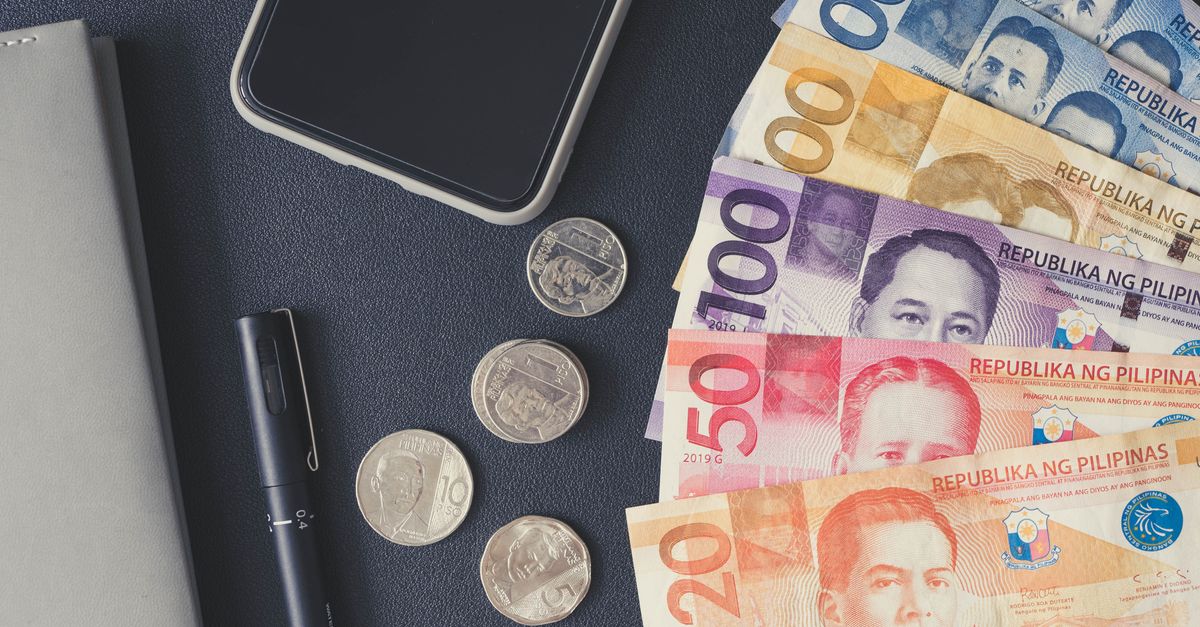
If you’re going to use cashback apps, here’s the only strategy I’ve seen work without backfiring:
-
Pick one app that fits your dominant shopping pattern. If you grocery shop weekly, Ibotta. If you shop online monthly, Rakuten. Don’t try to optimize across five apps—you’ll spend more time managing them than you’ll earn, and your abandonment risk skyrockets.
-
Set a spend budget independent of cashback offers. This is the guardrail that prevents behavioral overspending. Decide what you’re buying before you open the app. If an item wasn’t already on your list, the cashback offer doesn’t make it worth buying.
-
Track your actual annual earnings and redemption rate. Most people install a cashback app, use it twice, forget about it, and never cash out. Set a calendar reminder every six months to check your balance and redeem. If you’re earning less than $20/year after six months, delete the app—it’s not worth the cognitive overhead.
-
Don’t stack apps unless you’re already earning $100+/year from one. Stacking sounds smart in theory but creates friction and eats time. Only add a second app once you’ve proven the first one fits your routine and you’re actually redeeming consistently.
-
Treat cashback as found money, not income. When I cash out my Rakuten balance, it goes straight into my emergency fund or toward debt payoff. It doesn’t increase my discretionary budget. That mental separation prevents lifestyle inflation and keeps the reward from becoming an excuse to spend more.
-
Consider whether a cashback credit card is simpler. If you spend heavily in one category and pay off your balance monthly, a 3–5% cashback card on groceries or online shopping will likely beat any app with zero friction.
If you’ve already optimized the big expenses—housing, subscriptions, debt payments—then cashback apps are a reasonable bonus layer. If you haven’t, they’re a distraction. Cutting one unused subscription saves more per year than most people will ever earn from cashback apps. How to Audit Your Subscriptions and Cancel Unused Ones
What you need to know about taxes
This is the part most cashback app articles skip, and it’s critical for anyone earning more than modest amounts or stacking multiple apps.
Cashback rewards are legally treated as rebates, not income. According to IRS guidance, cashback on purchases you make is a discount—a reduction in the purchase price—which means it’s not taxable and you won’t receive a Form 1099 for it. This applies to nearly all standard cashback app earnings. You don’t report these on your taxes, and the apps don’t issue tax forms for standard cashback rewards.
Sign-up bonuses and referral payments are different. If you earn a $20 bonus for signing up or receive payments for referring friends, those may be treated as taxable income rather than rebates. The IRS threshold for issuing a 1099-MISC is $600 per year from a single source, but even below that threshold, taxable income is technically reportable. Most cashback apps don’t issue 1099 forms even for bonuses, which creates a gray area. If you’re earning substantial bonus income across multiple apps, consult a tax professional about whether you should report it.
Tax laws vary by jurisdiction. If you’re outside the United States or subject to state-specific income rules, the treatment of cashback rewards may differ. This guidance reflects general U.S. federal tax treatment—when in doubt, ask a professional.
For most casual users earning under $100/year in standard cashback rewards, there’s no tax reporting required. For users stacking apps, chasing bonuses, or earning amounts that feel substantial, it’s worth a conversation with an accountant to clarify your reporting obligations.
Should you bother?
Here’s the honest decision framework:
Use a cashback app if:
- You already have a consistent shopping routine (weekly groceries or regular online purchases)
- You’re confident you won’t increase spending to “maximize rewards”
- You’re comfortable trading some shopping data for a small discount
- You’ve already optimized larger expenses like housing and subscriptions
- You’re realistic about redemption rates and won’t abandon the app after two months
Skip cashback apps if:
- You’re prone to impulse purchases or “deal hunting” behavior
- You find app management tedious or forget to use tools like this
- Privacy is a higher priority than earning modest annual returns
- You haven’t yet tackled bigger budget optimizations
- A cashback credit card on your primary spending category would deliver better returns with less work
For me, I use Rakuten for online purchases because it requires zero behavior change—I click through, I get a few dollars back, I don’t think about it. I stopped using Ibotta because scanning receipts felt like work, and I stopped using Fetch because gift cards aren’t liquid enough to matter. Your calculus will differ based on your shopping habits and tolerance for friction.
Cashback apps are profitable in the sense that they return small amounts of money. They are not profitable in the sense of being a meaningful income source, and they carry real hidden costs—privacy, behavioral risk, abandonment, and time. Treat them as a minor discount on purchases you were already making, not as a financial strategy.
This is not financial advice. I’m a writer and consumer who uses these apps occasionally and reports what I’ve learned from personal experience. Tax laws vary by jurisdiction, and tax guidance for rewards programs can be unclear. If you’re making decisions about budgeting, spending, or tax reporting, consult with a professional.
About the author
Quinn Sutherland writes the investing and trading content for FinovaDaily—index funds, brokerage basics, and risk-aware coverage. They’re a self-taught investor who started with $200 in a brokerage account in 2018 and has been adding small amounts monthly ever since. Their work is intentionally conservative: they explain what things are, how they work, and what can go wrong—but they don’t tell readers what to buy. Based in Pittsburgh.
Related: If you’re looking to make a bigger dent in your monthly budget, cutting unused subscriptions typically saves far more per year than cashback apps will ever return. more on how to audit your subscriptions and cancel unused ones